


One chat that never makes you switch tabs.
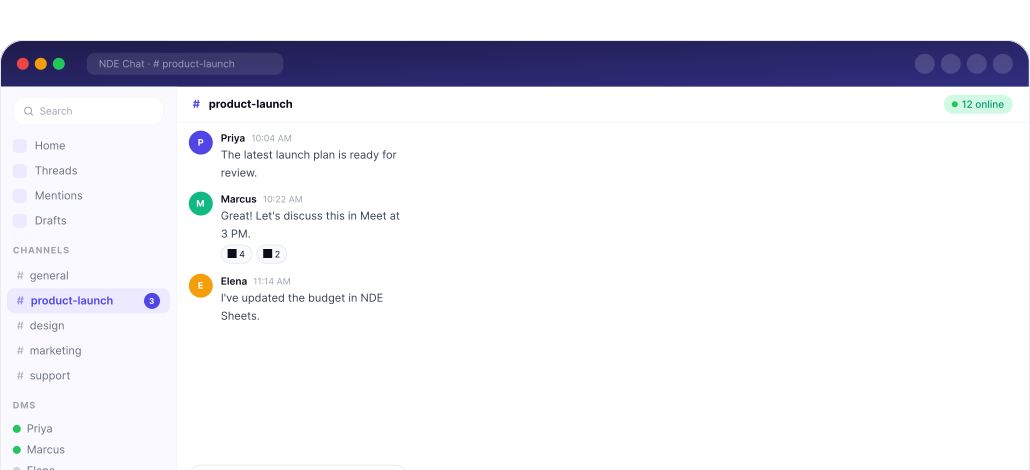
NDE Team Chat brings messaging, calls, files, and scheduling into one place, so your team stays connected without leaving the conversation.
No credit card required · Included in every NDE Connect plan
Three chat headaches. Now solved.
Too Many Tabs
Chat in one app, files in another, calls in a third. Getting one conversation done means switching tools the whole way through.
Scattered Files
Files people share in chat live somewhere else. You end up searching for what someone sent, instead of just scrolling up.
Lost in the Moment
Something said quickly in chat gets missed once you've moved to another app to act on it, so decisions and details slip through.
Message the way your team actually talks.
Fast replies, a bit of personality, and your voice when typing isn't enough.

Quick Replies
Answer common questions in one tap, so conversations move faster.

Emojis and Stickers
Add emojis and stickers to keep chat fun and full of personality.

Voice Notes
Send a voice note when it's faster to say than to type.
Schedule, share, and call, without leaving the chat.
NDE Team Chat works with Calendar, Drive, and Meet inside NDE Connect, so nothing pulls you into another tab.

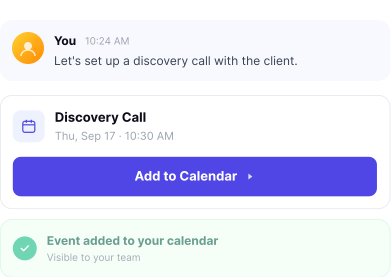
Schedule From Chat
Create and send a calendar event right from the conversation, with no tab switching.

Drive Files, Right Here
Share your Drive files from chat, or drag and drop files straight into the conversation, all in the same work area.

Calls Built In
Start an audio or video call from the chat itself, with no other app or tab needed.






Bring your whole team into one conversation.
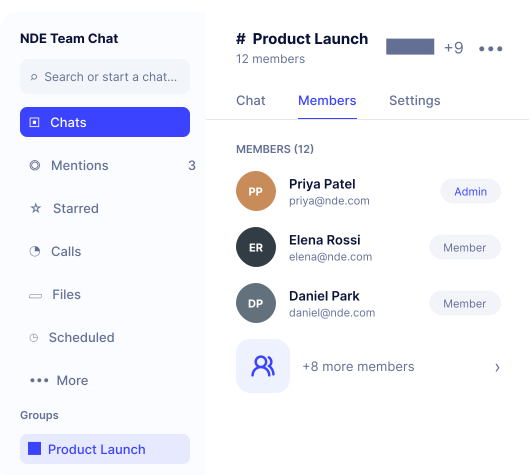
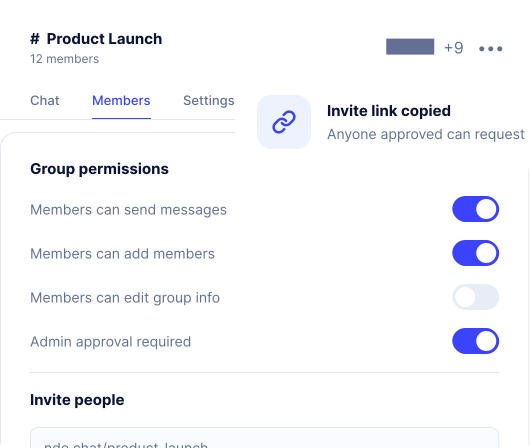
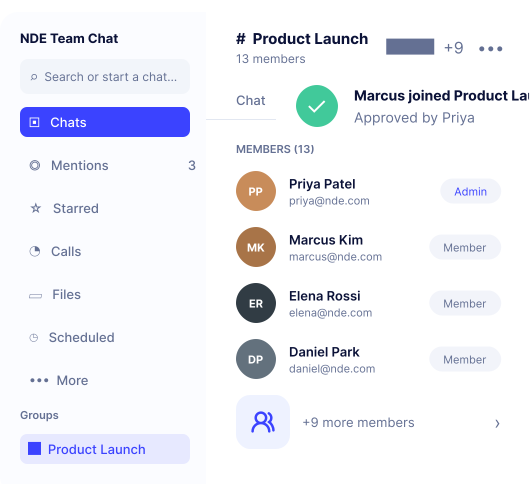
Create groups, control who can do what, and let people join with a link.
Create groups with your team members for projects, departments, or anything you work on together.
Control who can post, add people, or manage group settings with admin and member roles.
Share an invite link so anyone on your team can join the conversation with a single click.
Get your team talking in three simple steps.
Set it up once, and your whole team is connected.

Sign up with your business email
Use your NDE Mail address to get started.

Chat widget
Bring Team Chat into your workspace.

Connect with your team
Start new chats or create groups, and you're ready to go.
Sign up with your business email
Use your NDE Mail address to get started.
Chat widget
Bring Team Chat into your workspace.
Connect with your team
Start new chats or create groups, and you're ready to go.
Less switching between apps. More time talking to your team.

Save time
Chat, calls, files, and scheduling in one place, so you switch apps less.
Stay in the moment
Quick replies and voice notes keep conversations moving without breaking your focus.
Keep everything together
Files and events stay attached to the conversation they belong to.
Work better as a team
Groups keep the right people talking together, with calls just a tap away.
Questions about Team Chat?
Yes. Team Chat comes included in every NDE Connect plan, alongside Mail, Schedule, Meet, Docs, Sheets, Drive, Tasks and Vault. It isn't sold as a standalone product.
Yes. Import conversations from your previous chat tool so your team keeps its full history in one place.
Yes. Team Chat is fully responsive and also available as a mobile app, so you can stay connected from anywhere.
Yes. Search across conversations and shared files to quickly find the information you need, without scrolling through old chats.
Team Chat encrypts messages in transit and at rest, and lets admins control who can access each conversation.
No. Team Chat requires an NDE account so every conversation stays tied to your organization's workspace.
Still switching tabs to message, call, and share files with your team?
Bring chat, calls, files, and scheduling into one place with NDE Team Chat, included in NDE Connect.
Team Chat is included with NDE Connect.